
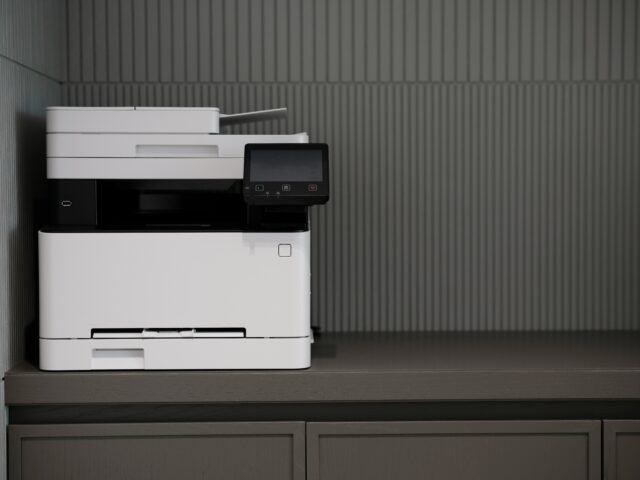
Many organisations reach a point where they decide it’s time to digitise their paper records. The initial plan often starts with gathering the files, using the office photocopier to scan everything, and assuming the project will be complete in one afternoon. In reality, bulk scanning projects are rarely as straightforward as they first appear.
While multifunction printers and photocopiers are excellent for everyday office scanning, digitising hundreds or thousands of documents is a very different task. What initially seems like a quick and cost-effective solution can quickly become a project that consumes far more time, resource and attention than expected.
The hidden challenges of bulk scanning
The assumption of “we’ll just scan it ourselves” often overlooks everything that happens before, during and after the process.
In reality, taking on a scanning project needs consideration and clear planning. Before starting, it helps to think about who will do the scanning, where documents will be kept while the work is underway, and how confidential information will stay secure.
It’s also worth thinking about how you’ll know every page has been captured correctly, and what happens to the paperwork once scanning is complete.
Scanning is only one part of the job. Documents need to be prepared, organised, scanned, checked for quality, labelled and stored in a format that makes them easy to find in the future.
When large volumes of paperwork are involved, these steps can quickly add up into a series of challenges.
Falling into a time trap
Photocopiers are designed for scanning individual documents or small batches throughout the day, not large-scale archive projects.
Scanning large volumes of files often includes:
- Feeding documents through the machine in batches
- Removing staples, paperclips and other bindings
- Clearing paper jams
- Rescanning mis-scans
- Naming and filing digital copies manually
What seems like a task for a single afternoon can quickly stretch into days, weeks or even months.
In many cases, the responsibility falls to an existing member of staff who must fit the project around their usual workload. As a result, the task progresses slowly while taking valuable time away from their primary responsibilities.
The importance of file organisation
Once the scanning is complete, many organisations are left with folders full of files named Scan001.pdf, Scan002.pdf with no indicator of what each file contains.
Without a clear indexing structure, finding a specific document can become just as frustrating as searching through filing cabinets.
Digital files only deliver real value when they are correctly named, categorised, organised and fully searchable. Otherwise businesses replace a storage problem, with a digital one.
Quality issues
A photocopier can create a digital copy of a document, but that doesn’t always mean it creates a high-quality outcome. Bulk scanning on a photocopier can present several challenges such as:
- Streaks and marks on images from dirty glass
- Faded text
- Skewed pages
- Missing pages
If documents aren’t quality checked at the time, these problems may not arise until someone needs the documents, after the hard copies have been destroyed.
Damage to fragile documents
Not every document is suitable for a photocopier feeder mechanism. Older records, bound documents, delicate paperwork and brittle files can easily become damaged during the scanning process.
For organisations holding historical records, legal documents or irreplaceable information, the risk of damage can outweigh any potential savings gained from handling the project internally.
It needs to fit in amongst other priorities
Unlike core business activities, large-scale scanning projects aren’t often treated as a top priority. Instead, they’re often squeezed into spare moments between meetings, customer enquiries and day-to-day responsibilities. As deadlines shift and workloads increase, the project slows down, resulting in inconsistent quality and longer completion times.
While the photocopier itself may be readily available, staff time still has value. When employees are splitting their attention between scanning projects and their primary responsibilities, the hidden cost can quickly add up.
Sensitive information might not always be protected
In many organisations, large scanning projects are assigned to office administrators, apprentices, temporary staff or junior team members.
Whilst there isn’t anything inherently wrong with that approach, businesses should consider the level of access these individuals may gain, and the exposure to sensitive data during the scanning process.
Personnel records, financial paperwork, medical information, contracts, disciplinary records, customer files and identification documents often contain highly sensitive information.
If scanning is taking place at the photocopier, this is usually in a high traffic area, accessible to multiple employees. It is important to consider who can access these documents, and how they’re being handled during the scanning.
What a professional scanning service does differently
A photocopier is perfectly suitable when you need a quick digital copy of a document. However, creating a searchable, high-quality digital inventory requires far more than simply converting paper into PDF files.
Professional document scanning provider produces records that are clear and easy to read, high-quality, correctly indexed and searchable. They’ll use equipment, processes and expertise designed specifically for large-scale document digitisation.
Equipment built for volume
High-product scanning equipment is designed to process large quantities of documents efficiently and reliably. This enables faster scanning speeds with fewer interruptions from paper jams and feeding issues.
High-quality end product
Professional scanners produce high-resolution images suitable for long-term preservation and frequent handling. Documents are checked throughout the process to ensure image quality remains consistent and information is captured precisely.
Consistent indexing
Rather than generating thousands of generic file names, documents are indexed and named according to an agreed structure. This means files are organised, searchable and easy to retrieve when required.
An archive that’s easy to navigate
Optical Character Recognition (OCR) converts scanned images into searchable documents. Instead of searching through folders manually, users can search for keywords, reference numbers, names or other text contained within the document itself.
Careful handling of fragile records
Experienced scanning teams understand how to work with delicate and sensitive documents. Specialist handling procedures help reduce the risk of damage to records that may be old, brittle or otherwise unsuitable for high-production scanning equipment.
Large format scanning
Not every archive consists of standard A4 paperwork. Professional scanning services can also digitise oversized documents up to A0 such as architectural drawings, maps and historical records.
Improved security
During in-house scanning, paperwork is often moved around and stacked in temporary boxes or loose piles, which increases the chance of misplaced documents or unauthorised access. A professional provider keeps track of every movement with a clear chain of custody, so your documents stay safe and accounted for. Priority documents can also be scanned first, so you always have access to what you need.
FAQs
Document scanning can raise a lot of questions, especially if you’re new to the process. We’ve answered a few of the common ones below.
Are photocopiers suitable for bulk scanning?
Modern photocopiers and multifunction printers are useful for everyday office tasks, but they have their limits when it comes to large scanning projects. Using them for bulk scanning may also stop others from completing everyday tasks.
High production scanning equipment is built specifically for bulk scanning. It can process documents much faster than a standard photocopier, and detects quality issues early.
With thousands of pages to get through, the difference in speed and accuracy becomes a key advantage.
What should I do with the original documents?
Once documents have been digitised, your business needs to decide what happens next. There tends to be two outcomes; to securely store them, or confidentially destroy them.
If you’re scanning in house, consider how these are going to be stored or how disposing of these records will be co-ordinated.
Working with an accredited provider that offers both scanning, secure storage and confidential destruction can simplify the process and ensure documents are handled appropriately throughout their lifecycle.
Is outsourcing always the right answer?
Not necessarily. For small, occasional scanning tasks, an office photocopier can be a practical solution.
However, when projects become larger, involve sensitive information, or require significant staff time, it’s worth exploring whether specialist support could deliver better results, greater security and lower overall costs.
A smarter way to digitise your archive
For occasional scanning tasks, a photocopier remains a practical and convenient tool.
However, when you’re dealing with large quantities of records, sensitive information or important archive materials, the process is often more complex than it first appears.
Professional document scanning lets you digitise your records securely, without putting strain on company time and resources. It creates an organised, searchable archive while protecting sensitive information throughout the process.
If you’re planning a large digitisation project, it may be worth exploring whether a professional scanning service could turn around quicker, higher quality results.
The team at Archive-Vault delivers a renowned professional, bulk scanning service that saves on company time and resources. The end result is a high quality, searchable record inventory you can rely on. Send an enquiry or give us a call on 01603 720722 today to speak to the team about how they can transform your archive.